 CarFlow AI
Add a Realistic Shadow to a Car Image - Free, Cut Out and Grounded
Drop a car photo and get the car back as a transparent PNG with a soft ground shadow already under it. Beta: works best on side and three quarter views.
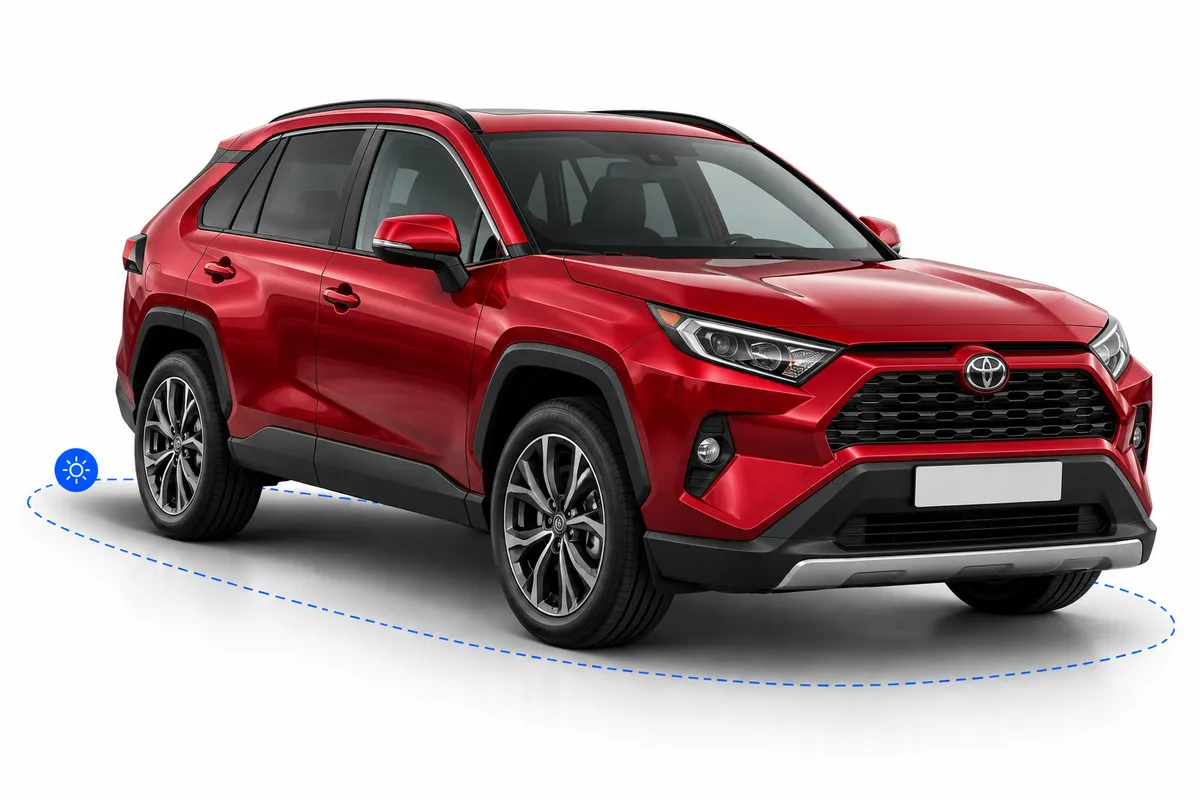
Drop your car photos here
JPG, PNG, WebP or HEIC · up to 5 photos, 25 MB each · Up to 15 photos per hour, free
By uploading, you agree to our Terms and Privacy Policy. Photos are processed automatically to cut out the car and render a shadow. During the beta, uploads and results stay on our servers so we can review quality and improve the shadow model; download links expire after 6 hours.
What the shadow looks like
Same car, same cutout. On the left it floats; on the right the tool has rendered a soft ground shadow with darker contact patches under the tires.
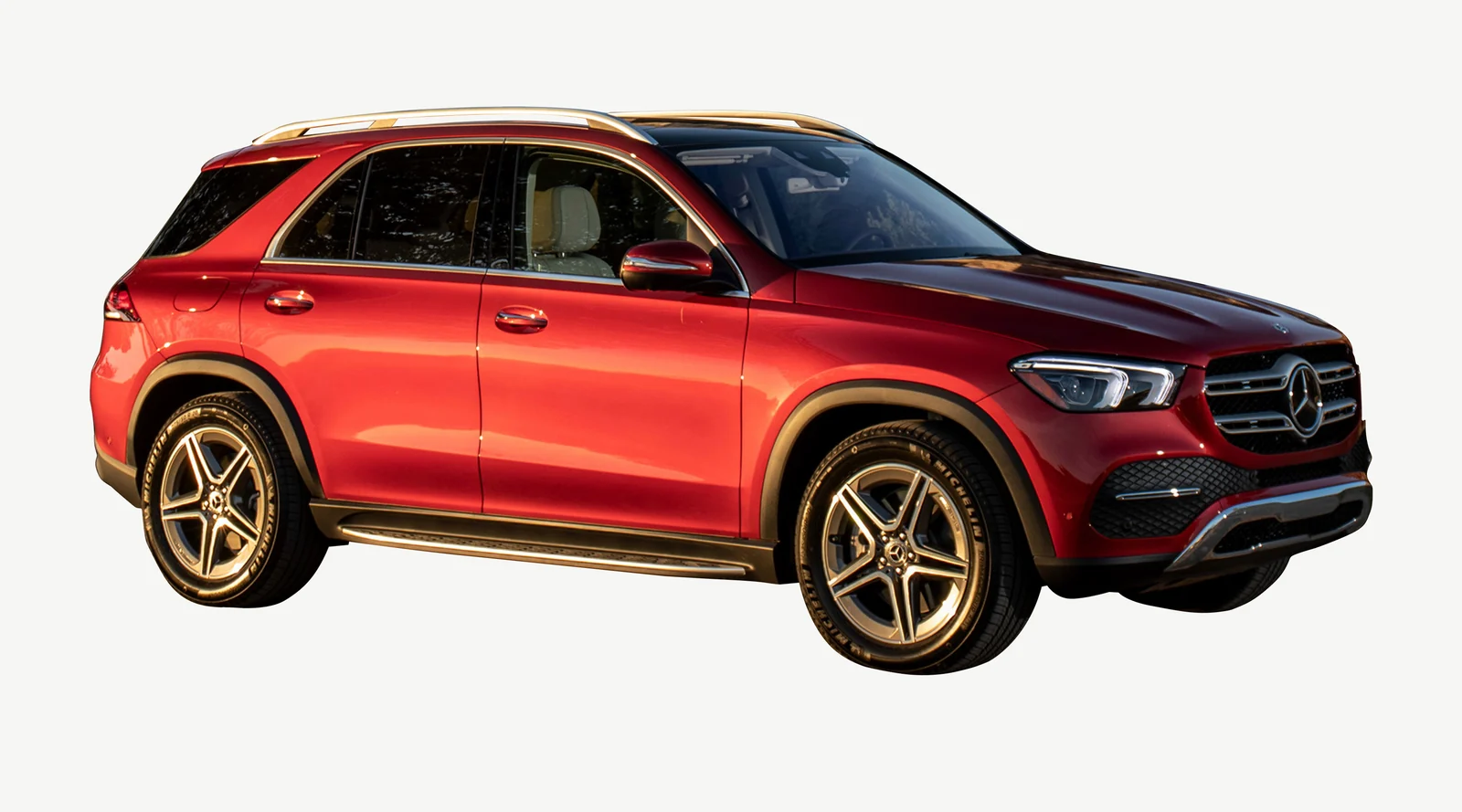
Cutout without shadow
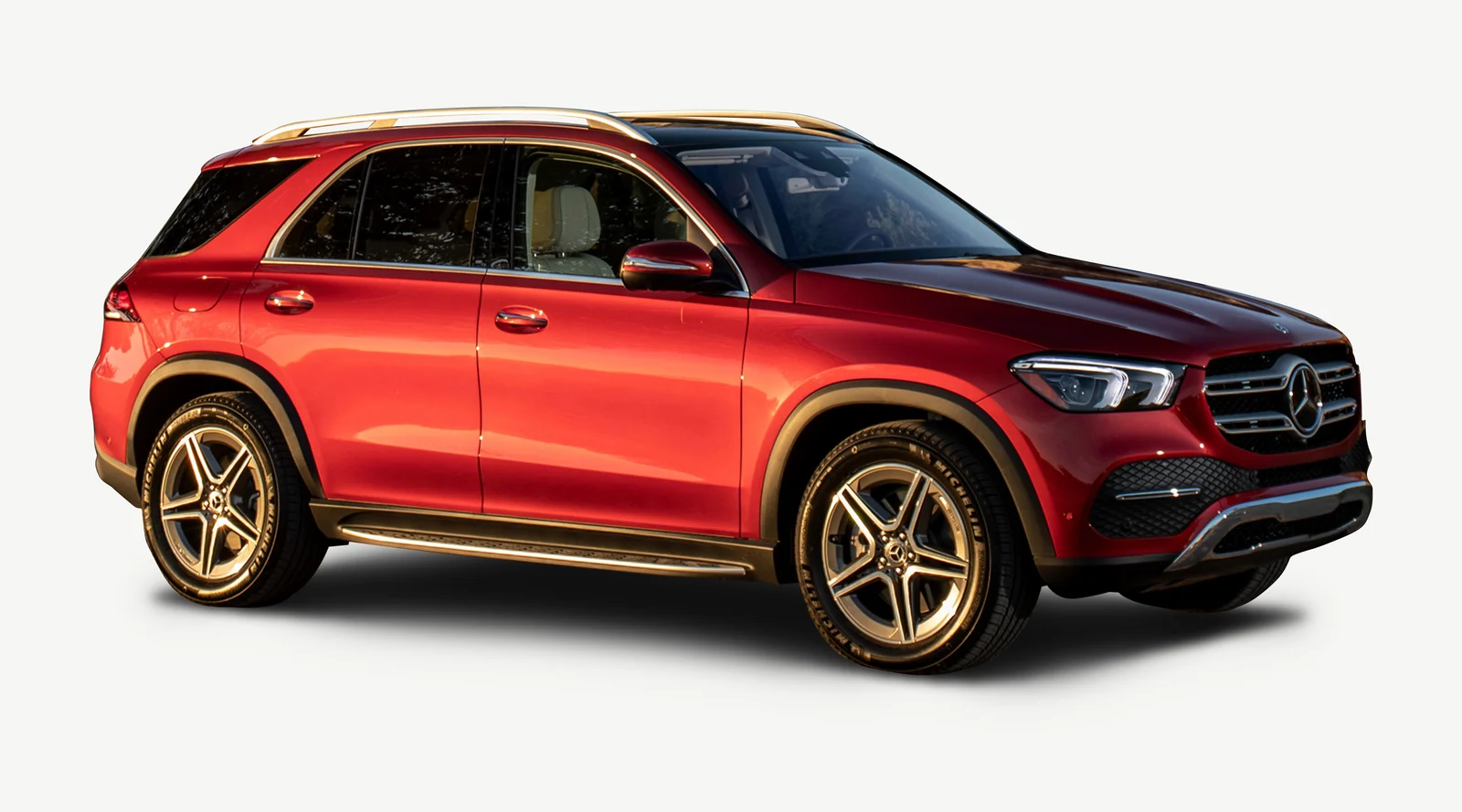
With the rendered shadow
A car photo run through the free tool. The shadow is built from the car's own footprint, so it sits where the wheels actually touch the ground instead of a blurred copy of the silhouette.
How it works
Drop your photos
Upload up to 5 car photos, JPG, PNG, WebP or HEIC, straight from your phone. No signup needed.
We cut out the car and find its footprint
The car is segmented from the background, then the wheels are located and used to estimate where the car actually stands on the ground.
A soft ground shadow is rendered
A geometric shadow is drawn from that footprint: a wide soft falloff under the body and darker contact shadows right under the tires. It is rendered, not generated by a diffusion model, so it is predictable and fast.
Download the transparent PNG
Get the car with its shadow as one PNG with a real alpha channel, plus the shadow on its own as a separate layer.
Why a cutout without a shadow looks pasted on
Remove the background from a car photo and the car keeps its paint, its glass and its reflections, but it loses the one thing that told your eye where it was standing. The shadow is what glues a car to a new backdrop.
The car floats
Without a shadow there is no visual contact between the tires and the ground, so the car hovers a few centimeters above whatever you place it on.
A blurred silhouette isn't a shadow
The usual shortcut is to copy the cutout, fill it black and blur it. That gives you a smear the shape of the roofline, not a shadow cast by a car that stands on four wheels.
Contact shadows sell the weight
Real cars have a tight, dark patch under each tire and a soft, wider gradient under the body. It is that combination that makes a cutout read as a heavy object on a floor.
Consistency across a batch
Hand-drawn shadows differ from photo to photo. A rendered shadow uses the same rules on every car, so an inventory page or a price list looks like one shoot.
What you get
Two files per photo, both transparent PNGs, both free.
Car with shadow, transparent PNG
The cutout and its shadow flattened into one PNG with a real alpha channel, ready to drop onto any background.
Separate shadow layer
The shadow alone as its own transparent PNG, so you can lower its opacity, shift it or recolor it in your editor.
Original resolution up to 2048 px
The result keeps your photo's resolution with the long side capped at 2048 px; smaller photos are not upscaled.
No signup, no watermark
Up to 5 photos per batch and 15 per hour, tracked per visitor, with nothing stamped on the result.
Kept to improve the beta
During the beta we keep uploads and results on our servers to review quality and improve the shadow model. Download links expire after 6 hours.
Beta, honestly labelled
The shadow is geometric and the footprint is estimated from the visible wheels. Hidden wheels are approximated, and some angles fail outright rather than producing a wrong shadow.
Photos that get the best shadow
The footprint comes from the wheels, so the more clearly the tool can see them, the better the shadow lands. Nothing here needs a studio.
Side or three quarter view
The classic dealer angle shows both the length of the car and where the tires meet the ground, which is exactly what the shadow is built from.
All wheels visible
Two visible wheels are the minimum; three or four give a better footprint. Hidden wheels are estimated, so they cost accuracy.
Car not cropped
Keep the whole car in frame with a margin under the tires. If a wheel is cut off by the edge of the photo, the footprint has to be guessed.
Car standing on flat ground
A driveway, a lot or a road all work. A car on a slope, a lift or a trailer gets a shadow that assumes a flat floor.
Shoot in focus, in even light
Motion blur hides the tire edges and hard sunlight can already cast a strong shadow of its own that ends up in the cutout.
Not supported yet in beta
Straight front-only, rear-only and top-down views don't show enough of the wheels to estimate a footprint, so those photos are rejected rather than given a wrong shadow.
Drawing the shadow by hand, or letting the tool render it
A convincing car shadow in Photoshop is a known routine: duplicate the layer, distort it, blur it, mask the contact points, repeat per car. Here is how that routine compares with the tool.
| What matters | Photoshop by hand | CarFlow AI |
|---|---|---|
| Where the shadow sits | Wherever you drag the distorted layer | Under the wheels, from the car's own footprint |
| Contact shadows under the tires | Painted in by hand with a soft brush | Rendered automatically for each tire |
| Cutout included | Separate step with the pen tool or a plugin | Done in the same run, glass included |
| Time per photo | Five to fifteen minutes of skilled editing | Under a minute, no editing |
| Several photos at once | One file at a time | Batch of 5 in a single upload |
| Editable afterwards | Yes, it's your own layer | Yes, the shadow comes as a separate layer too |
Frequently asked questions
Yes. Drop up to 5 photos and get the car with its shadow back as a transparent PNG with no account, no card and no watermark. The only limit is 15 photos per hour, tracked per visitor, so the tool stays fast and free for everyone.
The cutout is done by a segmentation model, but the shadow itself is rendered geometrically, not painted by a diffusion model. The tool locates the wheels, estimates the car's footprint on the ground from them, and draws a soft shadow under that footprint with darker contact patches under each tire. That makes it fast and predictable, but it also means it doesn't invent lighting: there is no directional sun shadow, only a ground shadow.
Because the footprint is estimated from whatever wheels are visible in the photo. On a clean side or three quarter view that works well. On unusual angles the estimate is rougher, hidden wheels are approximated, and straight front, rear or top-down views are rejected because there isn't enough to work with. We would rather fail on a photo than hand you a shadow in the wrong place.
The photo didn't show enough of the tires for the tool to place the car on the ground. Try a side or three quarter view where at least two wheels are fully visible and not cropped by the edge of the frame. Photos where the car is partly hidden behind another car or a fence will also fail for the same reason.
Two transparent PNGs per photo: the car with its shadow flattened together, and the shadow on its own as a separate layer. The composite is what most people drop straight onto a new background; the layer is for anyone who wants to tweak the opacity or position in an editor.
Yes. Download the separate shadow layer, place it under the cutout in any editor and change its opacity, blur, offset or color. Because it is a normal PNG with alpha, it works in Photoshop, Affinity, Figma, Canva or anything else that understands transparency.
The result keeps your photo's resolution with the long side capped at 2048 px. If the source is larger it is scaled down to that cap; smaller photos keep their size and are never upscaled. The canvas includes some room around the car for the shadow to fall off.
No. This free tool returns the car and its shadow on a transparent background so you can place it wherever you like. Automatic studio and showroom backgrounds, with a shadow that matches the scene, are a feature of the full CarFlow AI app.
JPG, PNG, WebP and HEIC, the formats phones and cameras save in by default, including iPhone photos straight out of the camera roll. Each file can be up to 25 MB.
During the beta, yes. Your original photo, the cutout and the rendered result stay on our servers so we can review how the shadow model performs on real cars and improve it. They are not linked to an account, since the tool doesn't ask you to create one, and they are not shared with anyone. Download links expire after 6 hours. If you want a file removed, email [email protected] and we will delete it.