 CarFlow AI
Free Car Cutout - Background Removed, Glass Included
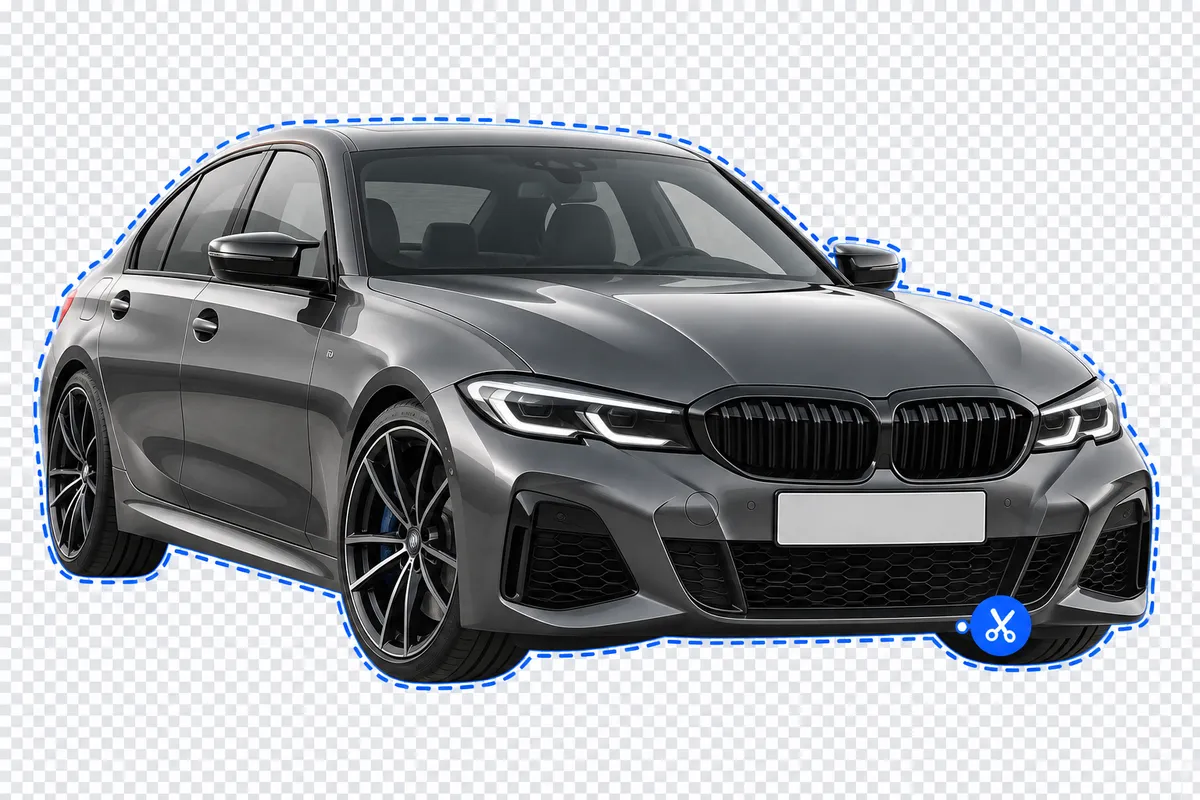
Removes the background behind the windows too, not just around the car. Transparent PNG in seconds.
Drop your car photos here
JPG, PNG, WebP or HEIC · up to 5 photos, 25 MB each · Up to 15 photos per hour, free
By uploading, you agree to our Terms and Privacy Policy. Photos are processed by AI to remove the background; download links expire after 6 hours.
How it works
Drop your photos
Upload up to 5 car photos — JPG, PNG, WebP or HEIC, straight from your phone. No signup needed.
AI cuts out the car and the glass
The body is segmented from the background, and each window is segmented on its own so the old scene behind it doesn't survive the cutout.
Download transparent PNGs
Get a PNG with a real alpha channel for each photo, ready to drop onto any background.
Why most background removers ruin car glass
A car photo isn't one shape — it's a body wrapped around several sheets of glass, and every one of them shows whatever was behind the car when the photo was taken. Most background removers only look at the outline of the car, which is exactly why the windows keep giving them away.
The glass gets lumped in with the body
A single mask is drawn around the whole vehicle, windows included, so nothing behind the glass is ever treated as background in the first place.
The old scene stays trapped inside the windows
Whatever was behind the car when the photo was taken — asphalt, a garage door, another car — survives inside the windshield and side windows even after the sky around the car is gone.
A flat fill turns the car into a sticker
Some tools paint over the mistake with a solid gray or black rectangle, and the car stops looking like a photo with glass in it and starts looking like a cutout pasted on top of one.
Fixing it by hand takes minutes, every time
The only real fix is a manual mask around each window in an image editor, repeated for every angle and every car in the batch.
Where a cut-out car PNG earns its keep
Dealer inventory
Swap the same parking lot for a plain background across a whole stock of listings, without a reshoot or a studio.
Automotive photographers
Deliver a clean cutout alongside the edited shot, without hand-masking spokes and window reflections for every angle.
Marketplaces and classifieds
Give listings shot on different phones, in different lots, a consistent, catalog-style car crop.
Banners and ad creatives
Drop the car onto any campaign background — a sale banner, a social post, a billboard mock-up — without re-shooting it there.
Price lists and PDFs
Line up cut-out cars in a spec sheet or price list so every row matches, instead of a row of different backgrounds.
Social and video content
Move a car onto a new scene for a reel, a thumbnail or a promo graphic, without a studio backdrop.
Generic remover, Photoshop, or CarFlow AI
A generic remover, an evening in Photoshop, or CarFlow AI — here is what each one actually gets you, glass included.
| What matters | Generic remover | Photoshop by hand | CarFlow AI |
|---|---|---|---|
| Background behind the windows | Stays in the photo — the old scene shows through the glass | Removable, one window mask at a time | Removed automatically, glass tinted instead |
| Wheel spokes and grille | Often blurred into a solid disc | Kept, with careful zooming and erasing | Segmented cleanly, spokes stay open |
| Antenna, mirrors, thin trim | Frequently clipped or smoothed away | Kept, if you touch up each one by hand | Kept as part of the car's outline |
| Several photos at once | One photo, one upload, one wait | One file at a time | Batch of 5 in a single upload |
| Time per photo | Seconds, then manual cleanup | Several minutes of skilled editing | A few seconds, no cleanup |
| Output format | PNG, sometimes flattened onto white | Whatever the editor exports | PNG with a real alpha channel |
How to shoot a car so it cuts out cleanly
None of this needs a studio — a phone photo on a driveway works fine. These just make the edge easier for any tool to find, ours included.
Fit the whole car in frame
Leave a margin around the bumpers, mirrors and roofline so nothing that belongs to the car gets cropped out of the cutout.
Use even, diffuse light
Overcast daylight or open shade beats direct sun — hard shadows across the paint can get mistaken for part of the car's edge.
Watch reflections in paint and glass
A photographer or a building reflected in a door panel is fine; a wall of glare across the whole side makes the edge harder for any tool to find.
Keep the ground simple where you can
Asphalt, a plain wall or grass all work well; a patterned surface right at the tyre line is the hardest case for any cutout, ours included.
Shoot in focus
Motion blur or soft focus blurs the very edge the segmentation model is trying to trace, especially around mirrors and thin trim.
A straight-on or 3/4 angle works best
The classic dealer angle shows the body, wheels and glass clearly, with nothing else crossing in front of the car.
Formats and limits
What the free tool accepts, and what you get back.
Output
PNG with a real alpha channel — everything outside the car is fully transparent; the windows are semi-transparent so a new background shows through them.
Resolution
Trimmed to the car's outline, long side capped at 2048 px.
Upload formats
JPG, PNG, WebP or HEIC, up to 25 MB per photo.
Batch size
Up to 5 photos processed together in one run.
Free limit
15 photos per hour, no account and no watermark.
Your files
We keep uploads and results on our servers to review quality and improve the tool. Download links expire after 6 hours.
Frequently asked questions
Yes. Drop up to 5 photos and get transparent PNGs back with no account, no card, and no watermark. The only limit is 15 photos per hour, tracked per visitor so the tool stays fast and free for everyone using it.
It's removed along with everything else outside the car. The windows are segmented separately from the body, and once the old scene behind them is gone, the glass is replaced with a semi-transparent dark tint whose opacity follows the brightness of the glass in your original photo — so a new background can show through it like real glass.
Most tools trace one outline around the whole vehicle and treat the glass as part of that shape, so whatever the camera saw through it — asphalt, other cars, a garage door — stays baked into the same layer as the paint. Ours segments the windows separately, so the old scene doesn't survive with them.
Not literally transparent — they're given a semi-transparent dark tint so the car still reads as glass rather than a flat panel. The tint's opacity is derived from how bright the glass was in your original photo, so it sits naturally over whatever background you place the car on afterwards.
A PNG with a real alpha channel. Everything outside the car's outline is fully transparent; the windows are semi-transparent instead, so a new background shows through the glass rather than the old one. Drop it straight onto a new scene in any editor — no magic wand, no manual mask needed.
15 photos per hour, free, tracked per visitor rather than per account. If you hit the limit, the tool tells you how many minutes are left before it resets — no signup required, and no charge, once you're back under the limit.
Yes — drop up to 5 photos in one go and they process together. Each photo gets its own card with its own progress and download link, so a couple of slow ones don't hold up the rest of the batch.
The result is cropped to the car's bounding box, so the output size isn't the same as your upload. If the long side of your source is bigger than 2048 px, it's scaled down to that cap; smaller photos keep their original resolution, just cropped to the car.
JPG, PNG, WebP and HEIC — the formats phones and cameras save in by default, including iPhone photos straight out of the camera roll. Each file can be up to 25 MB, which covers full-resolution phone photos without needing to compress anything first.
Yes. Your original photo and the result stay on our servers so we can review how the tool performs on real cars and improve it. They are not linked to an account, since the tool doesn't ask you to create one, and they are not shared with anyone. Download links expire after 6 hours. If you want a file removed, email [email protected] and we will delete it.
Yes — that's the case it's built for. Other cars, lines, curbs and lamp posts around the vehicle are removed along with everything else, and the same lot that was visible through the windshield is removed there too, instead of staying trapped inside the glass.
This tool only returns the transparent cutout — it doesn't place the car on a new scene for you. Drop the PNG into any editor or template and add whatever background you like; the alpha channel around the body and windows is exactly what makes that swap possible. Automatic studio backgrounds are a feature of the paid CarFlow AI app, not this free tool.