 CarFlow AI
Add Your Logo to Car Photos - Free Dealer Watermark Tool
Upload photos, drop your PNG logo where you want it, download. Place it once and apply the same spot to the whole batch.
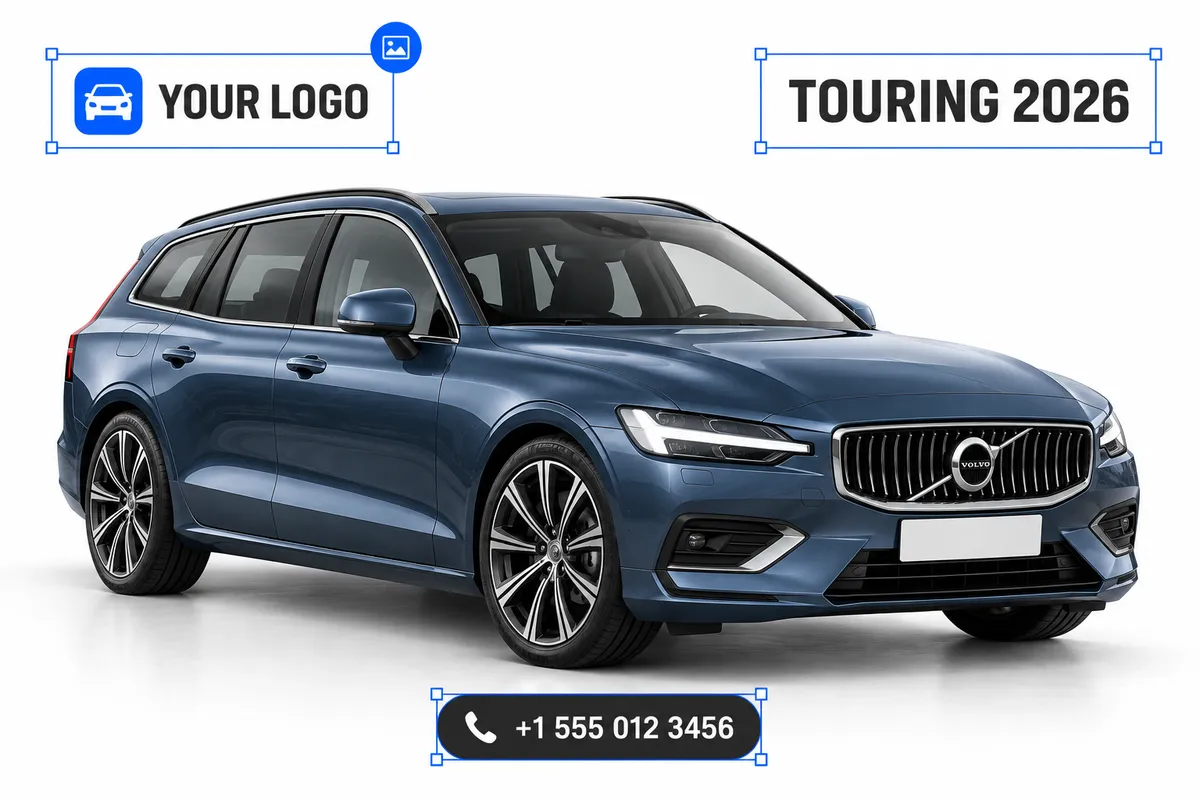
Drop your car photos here
JPG, PNG, WebP or HEIC · up to 5 photos, 25 MB each · Up to 15 photos per hour, free
By uploading, you agree to our Terms and Privacy Policy. Photos and logos are stored only to render your download; uploads are deleted automatically and download links expire after 6 hours.
How it works
Drop your photos
Upload up to 5 car photos - JPG, PNG, WebP or HEIC, straight from your phone. No signup needed.
Place the logo
Open a photo, upload your PNG logo and drag it where you want it. Resize with the corner handle, rotate with the top one, add several logos if you need to.
Apply and download
Apply the placement to that photo or to the whole batch at once, then download each JPG or all of them as a ZIP.
Why a logo on the photo, not just on the listing
A listing page carries your dealer name for as long as it stays online. The photos travel much further - into screenshots, reposts, marketplace aggregators and buyers' chats - and only the logo travels with them.
Photos get reposted without you
Aggregators, resellers and scrapers lift dealer photos all the time. A logo in the corner keeps your name on the car wherever the image ends up.
Consistent branding across the stock
The same logo, in the same corner, at the same size on every car makes an inventory look like one dealership instead of a pile of phone photos.
Buyers recognise you before they read
In a feed of near-identical listings, a familiar mark is what makes a buyer stop on yours - the logo does that work before a single word of the ad.
No design tools, no per-photo fiddling
Place the logo once and apply that exact spot to every photo of the car. No Photoshop, no templates, nothing to install.
Where a branded car photo earns its keep
Dealer inventory
Brand a whole stock of listings the same way, without opening an editor for every car.
Marketplaces and classifieds
Keep your name on the photo when the listing gets copied to a portal that never mentions the seller.
Ads and banners
Drop the logo on the car photo before it goes into a sale banner or a paid campaign creative.
Social posts and stories
Photos get screenshotted and shared - the logo is the only credit that survives the trip.
Price lists and PDFs
Branded photos in a spec sheet or a customer proposal look like a catalog, not a collection of downloads.
Protection against reposts
A visible logo makes it harder for someone else to list your car as their own.
Getting a clean result
The tool composites the logo exactly where you put it, at full photo resolution. A few things that make the placement look intentional.
Use a PNG with a transparent background
A logo with a white box around it looks like a sticker. Export it with transparency and it sits on the photo like it belongs there.
Pick one corner and stick to it
Bottom-right or bottom-left, away from the wheels and the plate. Using the same corner on every photo is what makes a stock look branded.
Keep it small
About 10 to 20 percent of the photo width is enough to be recognisable without competing with the car.
Upload the largest logo you have
The logo is scaled down to the size you choose, never up. A 2 MB PNG has plenty of room; a tiny web icon will look soft.
Rotate only when the photo calls for it
A straight logo reads as deliberate. Use the rotate handle to match a tilted horizon, not for decoration.
Do the logo last
Blur the plates and replace the background first, then add the logo - so it always sits on top of the finished photo.
Frequently asked questions
Yes. You can brand up to 15 photos an hour without an account, and the downloads carry no watermark. Registered users get 25 photos per upload, a saved logo library and no hourly limit.
PNG, up to 2 MB. A transparent background gives the cleanest result; a JPG logo would bring its own white rectangle along.
Yes. Place the logo on one photo, keep the option to apply the same placement to all photos checked, and every photo in the batch is rendered with the logo in that exact spot.
Yes. Open the photo again with the change placement button, move the logo and apply - the new placement replaces the old one, it doesn't stack on top of it.
No. The logo is composited on the original photo at its full resolution and the result is saved as a high-quality JPG. Only very large uploads are capped at 4032 px on the long side.
Uploads are stored only to render your download and are deleted automatically. The download links themselves expire after 6 hours, so save the files once they're ready.
Yes, up to 10 placements per photo from up to 5 different PNG files - for example a dealer logo in one corner and a partner badge in another.
The account tool takes 25 photos per upload, keeps your logos in a library, stores the results permanently and has no hourly cap. The free tool is the same placement and rendering, limited to 5 photos at a time.